Why I Wanted Local DNS
Every device in my house makes DNS queries. My phone, my laptop, the smart devices. Every time any of them connects to a domain, a DNS query goes out.
By default, those queries go to the ISP's DNS servers. That means:
The ISP can see and log every domain every device in my house tries to reach.
Ads, trackers, and telemetry domains all resolve normally — so they all get loaded.
I have zero visibility into what my devices are actually doing on the internet.
I cannot give friendly names to my internal services. The NAS is just an IP address. Home Assistant is just an IP address.
I wanted to fix all of that with one piece of infrastructure: a DNS server I control, running in my house, that every device on every VLAN uses.
The benefits are immediate. DNS-level ad blocking covers every device automatically. No per-device configuration, browser extensions or apps to install. My smartphone, which has no ad blocker installed, suddenly stopped loading ads. The IoT devices stopped sending data to analytics endpoints. The query logs tell me exactly what each device is doing.
Why I Chose a Raspberry Pi 5
I needed a small, always-on machine to run DNS. The Pi 5 was the obvious choice.
Low power: The Pi 5 draws around 5 watts at idle. Running 24/7 it costs almost nothing in electricity.
Enough performance: DNS is not CPU-heavy. AdGuard handles thousands of queries per second on a Pi 5 without breaking a sweat. Way more headroom than I'll ever need for DNS.
Can be expanded with more services: The Pi is not a single-purpose DNS box. It also runs Home Assistant, Nginx Proxy Manager, Portainer, Dozzle, Homepage and a FreeDNS DDNS updater — all in Docker Compose. AdGuard is just a container in the stack.
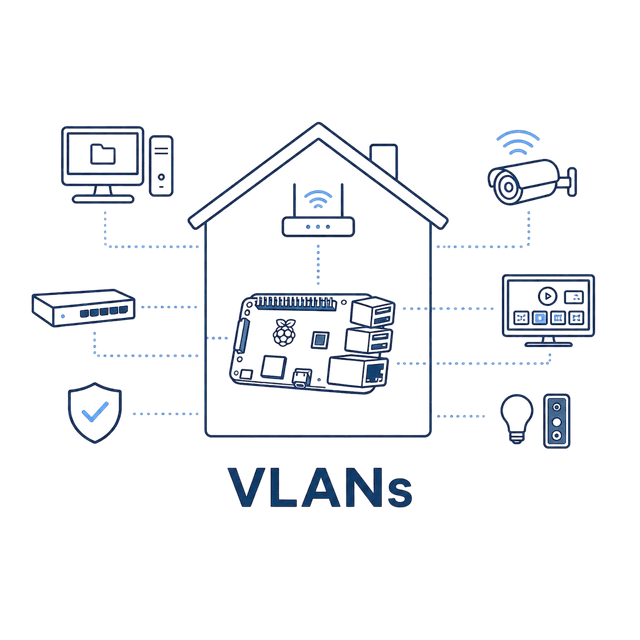
The Pi sits on my Services VLAN with static IP. Static is important — every DHCP server in every VLAN points to this IP as the DNS server. If the Pi's IP changed, the whole house would lose DNS.
If you don't have a Pi, this works on almost anything — an old laptop, a mini PC, a spare desktop.
What AdGuard Home Does
AdGuard Home is a network-wide DNS server with filtering built in.When a device queries a domain, AdGuard does three things:
Checks the domain against blocklists. If it matches a known ad, tracker, malware, or telemetry domain, AdGuard returns NXDOMAIN (or 0.0.0.0) and the device thinks the domain does not exist. Ads never load and tracker never fire.
Checks for local DNS records. If I defined a local name like `nas.home`, AdGuard returns the local IP without ever going to the internet.
Forwards to upstream DNS. If the domain is not blocked and not local, AdGuard queries an upstream resolver — I use Cloudflare (1.1.1.1) and Google (8.8.8.8) as fallbacks — and caches the response.
It also gives me:
Query logs: Every DNS query from every device, with timestamp, response, and whether it was blocked. I can filter by client, by domain, by status. This is gold for understanding what my devices are doing.
Per-client settings: I can give different blocklist behavior to different devices.
A dashboard: Live stats. After the first week I had a clear picture of which devices were generating the most traffic and where.
I use a few community-maintained blocklists — AdGuard's default, EasyList, EasyPrivacy, and a few smart-TV-specific ones. Together they block tens of thousands of domains. The first day I installed AdGuard, the blocked-query counter hit five figures by the end of the day.
How DNS Works in My Network
Here is what happens when any device in my house tries to reach a domain:

For this to work, every device on every VLAN needs to know to use 192.168.XXX.XX as its DNS server. When a device connects to Wi-Fi or plugs into ethernet, DHCP gives it an IP, a default gateway, and a DNS server. That DNS server is the Pi.
Firewall and VLANs
Devices on VLANs need a path to reach the Pi on the specific port. Without an explicit firewall rule allowing this, the inter-VLAN traffic would be blocked.
The Pi sits in the Services VLAN. Other VLANs cannot freely reach Services by the DNS and would silently fail. But every VLAN needs DNS.
The solution is to allow access to dns in pi with a targeted firewall rule per VLAN that needs DNS. The rule allows the specific destination IP and the specific port. Nothing else gets through.
Local DNS Records
Local DNS records are one of the most useful features of AdGuard. They let me give friendly names to internal services.
Without this, I'd have to remember every IP. The NAS is one IP, Home Assistant on the Pi is another IP plus a port, Portainer is yet another. Memorising all that is annoying and breaks the moment I reassign IPs.
With local DNS records in AdGuard I have entries like:
ha.homelab → 192.168.XX.PI
nas.homelab → 192.168.XX.NAS
portainer.homelab → 192.168.XX.PI
proxy.homelab → 192.168.XX.PI
nvr.homelab → 192.168.XX.NAS
Now I can type ha.homelab in my browser and Home Assistant loads. nas.homelab opens the TrueNAS web UI. These names work from any device on any VLAN that uses AdGuard for DNS — phones, laptops, tablets, everything. I pair this with Nginx Proxy Manager. AdGuard resolves the name to the Pi, and Nginx routes to the right container — both HTTP and HTTPS. So I never have to type an IP or remember a port number. Just the name.
What Happens If the Pi Goes Down?
Most devices lose internet. The line works fine, the UCG is still up, the switches are working. But the moment a device tries to open a website, it asks the Pi for the domain's IP, gets no answer, and times out.
Existing TCP connections that have already resolved a name and are mid-session (a video stream that is already playing keeps playing), anything that connects to a hardcoded IP (some cameras, some IoT devices), and devices on the Surveillance VLAN which were never using DNS in the first place keep working.
Everything else breaks. Every new browser request. Most apps on phones and laptops and all of my local services.
For a single-DNS-server house, the Pi is a single point of failure. That is the trade-off of centralising DNS. The upside is huge — one place to manage everything, one place to see everything. The downside is that when it goes down, the whole house feels offline.
To avoid this, in the guest VLAN I have added Google DNS as a backup, so if my Pi 5 goes down I can just connect to another Wi-Fi and still have internet. My guests will never lose connectivity because the Pi is off. There are other solutions like running a secondary DNS on another machine or on the UCG, but I felt it was overkill for my case
DNS Fallback Options
There are a few ways to add resilience. Each has trade-offs.
Secondary DNS server in DHCP: UniFi lets you configure two DNS servers per network. Set the Pi as primary and something like 1.1.1.1 as secondary. The problem: client behaviour with two DNS servers is unpredictable. Some clients try secondary only after a timeout. Others round-robin both. If you set 1.1.1.1 as secondary, you may find that "blocked" ads start loading some of the time because the client randomly hits Cloudflare instead of AdGuard. That breaks the whole point of network-wide blocking.
Secondary AdGuard instance: Run a second AdGuard somewhere else — on the NAS, on an old Pi, on another mini PC. Configure both with the same blocklists. Set both as DNS servers in DHCP. Real redundancy without sacrificing filtering. The downside is the same client unpredictability — DNS clients are not great at handling failover gracefully.
What I Would Improve Later
Recursive DNS with Unbound: Right now AdGuard forwards to Cloudflare and Google. That means Cloudflare and Google still see every query I make. Adding Unbound as a recursive resolver in front means AdGuard queries Unbound, Unbound talks directly to the authoritative name servers, and no third party sees the full picture of my browsing. More setup for marginal privacy benefit, but a clean improvement.
If you are starting a home lab, set up a DNS server. It is a small-effort, big-impact project.
This is part of my Building My Smart Home series — where I document everything I built, what worked, what broke, and what I learned. Follow along for practical infrastructure posts aimed at developers who want to build real systems.