Why I Needed Remote Access
I was away from home and wanted some files I had on the NAS. Could not. I wanted to open Home Assistant to use my smart home. I Could not. I wanted to watch a show from my Jellyfin while on holiday. I Could not.
Everything I built — Home Assistant, TrueNAS, cameras, AdGuard, media library — was only accessible when I was physically at home. I needed a way to reach my home network from anywhere, securely.
Why Not Just Open Ports?
The obvious solution is port forwarding. Open a port on the router, point it at a service, and access it from the internet.
The problem is that every open port is an attack surface. You are exposing a service directly to the entire internet. If that service has a vulnerability — and many do — anyone can try to exploit it. Bots scan the internet constantly looking for open ports. The moment you forward port 8123 for Home Assistant or port 443 for your NAS, you start getting probed.
You could lock it down with strong passwords, fail2ban, and TLS. But now you are maintaining security for every exposed service individually. One mistake and someone is inside your network.
I did not want any of that. I wanted one single entry point with strong authentication. That is what a VPN does.
What Is a VPN?
A VPN creates an encrypted tunnel between your device and your home network. When I connect to my VPN from a cafe, my device behaves as if it were connected to my home network. I get a local IP, I can reach all my services by their local DNS names, and the traffic between my device and home is encrypted.
Nothing is exposed to the public internet except the VPN endpoint itself — one port, one protocol, strong cryptography.
Why WireGuard
When you want to set up a VPN, your main options are OpenVPN and WireGuard. I chose WireGuard because it is:
Fast: WireGuard is built into the Linux kernel. Connections are near-instant — I tap connect and it is up in under a second. OpenVPN takes noticeably longer.
Built into UniFi: The UCG Ultra has native WireGuard support. No extra software to install, no containers to manage. I set it up in the UniFi controller and it works by scanning a QR code.
Easy for family: My brother also uses VPN to access the NAS remotely. WireGuard apps on iOS and Android are modern and simple to use.
OpenVPN is battle-tested and has more flexibility, but for a home lab WireGuard is the better fit. Less to configure, less to break.
How It Works on My UniFi Setup
WireGuard runs on the UCG Ultra as a VPN server. This works thanks to running the ISP router in bridge mode with the UCG. The UCG holds the real public IP, so VPN clients can connect directly without a double NAT problem.
Setting it up in UniFi took a few minutes:
Enable the WireGuard VPN server in the UniFi controller.
Set the listening port.
Create a client profile for each device.
Scan the QR code on the device or import the config file.
Each client gets its own key pair. The UCG routes their traffic into the home network. When I connect, I get an IP in the VPN range and can reach the VLANs I need.
Why DDNS Matters
My ISP gives me a dynamic public IP. This means it changes every few days. VPN clients connect to an IP. If the IP changes and they still have the old IP in their config, the connections fail.
DDNS — Dynamic DNS — solves this. It keeps a domain name pointed at my current IP. My VPN clients connect to lefteris-vpn.mydomain.com instead of a raw IP address. When the IP changes, the DDNS record updates and everything keeps working.
Without DDNS I would have to update every VPN config manually when my IP changes and redistribute it to every family member who uses VPN.
My DDNS Setup with FreeDNS
I use FreeDNS (afraid.org) for the DDNS record. It is free, simple, and reliable.
My UCG router handles the updates. Every few minutes it checks my public IP and if it has changed, it calls the FreeDNS update URL. The record updates and VPN clients work automatically.
Since the UCG router holds the real public IP (thanks to bridge mode), it can detect IP changes and update the DNS record reliably. With double NAT this would not work — the UCG would see the ISP router's private IP instead of the actual public one.
What I Can Access Remotely
Everything. When VPN is connected, my device is on the home network. I can reach:
Home Assistant: check sensors, trigger automations, view dashboards
TrueNAS: access files, manage datasets, streaming
Reolink NVR: view live cameras and recordings from the cameras.
AdGuard Home: check query logs, adjust blocklists
Portainer / Dozzle: manage Docker containers and read logs
UniFi controller: manage the network if needed
Printers: print from anywhere
Local DNS works too. I type ha.homelab and Home Assistant loads. nas.homelab opens TrueNAS. All the local DNS records resolve because VPN clients use my home Pi as their DNS server.
Firewall and Security
The VPN endpoint is the only port exposed to the internet. This is the entire public attack surface of my home network: one port, one protocol, with strong security.
WireGuard uses public-key cryptography. Each client has a unique key pair. No passwords to brute force, no usernames to guess. If I want to revoke a client, I delete its key from the UCG.
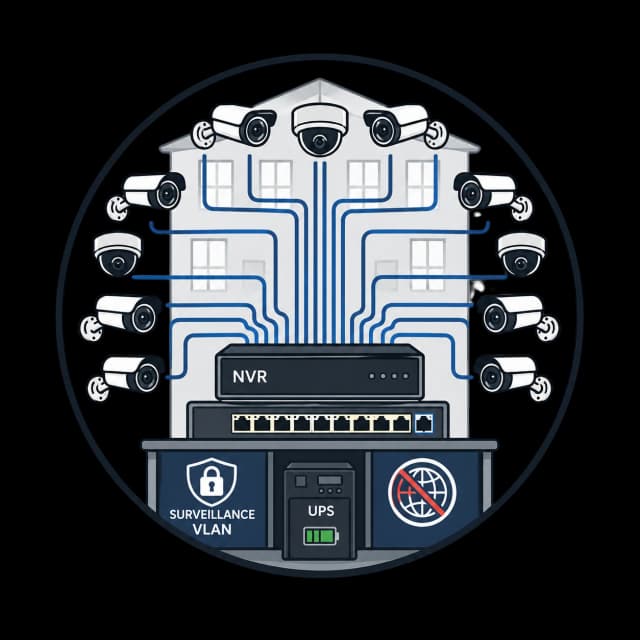
VPN clients get access to the VLANs based on routing. I can control which subnets a VPN client can reach by configuring the allowed IPs in the client profile. In practice I give my devices access to Trusted, Services, and
Surveillance VLANs. My brother's profile reaches Services only — NAS access but not cameras or management.
What I Would Improve Later
Split tunnel vs full tunnel: Right now my VPN sends all traffic through the tunnel — including regular browsing. This means my internet speed when connected is limited by my home upload speed (250 Mbps). I could switch to split tunnel — only home network traffic goes through VPN, internet traffic goes directly. Less latency for browsing, but DNS would not go through AdGuard. Trade-off I have not decided on yet.
Second VPN endpoint: If the UCG goes down, VPN goes down. A second WireGuard server on the Pi or NAS would give me a backup entry point. Not urgent — the UCG has been solid — but good to have in mind.
This is part of my Building My Smart Home series — where I document everything I built, what worked, what broke, and what I learned. Follow along for practical infrastructure posts aimed at developers who want to build real systems.